Markdown-first creative coding curriculum
Visual Sketches Bootcamp
A Markdown-first creative coding curriculum using openFrameworks and C++.
The publication layer is optional: the canonical lessons remain portable Markdown leaf bundles under authoring/sections/.
Course contents
- Cross-platform setup and the first frame Verify the pinned openFrameworks and Project Generator versions before changing code; Explain the roles of main.cpp, ofApp.h, and ofApp.cpp; Place shapes by percentage so they adapt when the window changes size; Build a first frame from color and basic shape-drawing calls; Use the first useful compiler error message to repair one syntax error
- A mark that moves Store position, rate, input, and pause state in variables with suitable numeric types; Explain how setup, update, draw, keyboard, and pointer callbacks divide responsibility; Convert a rate in pixels per second into fixed-step displacement; Compare variable-step motion with a fixed-step accumulator and clamp pause spikes; Build an accessible pointer-responsive traveler with wrap, fallback, pause, reset, and reduced motion
- The Python-to-C++ survival kit Read what a C++ function takes in, what it returns, and what it promises not to change; Build and return a repeatable std::vector of same-type mark values; Use indexed and range-based loops while explaining which form supplies the needed information; Describe scope, owned values, references, and why manual new/delete is deferred; Create an accessible visual family of your own by varying explicit parameters
- Interlude — reading and writing the first C++ test Trace the no-window test executable from setup through process exit; Read one failure using arrange, act, and assert; Repair one focused assertion and author one independent repeatable known case; Compare floating-point results with explicit absolute and relative tolerances; Explain why renderer pixels and visual quality stay outside headless model tests
- Map, clamp, and lerp Normalize a value, interpolate into a destination range, and clamp unsafe input; Preserve a target aspect ratio while recomputing layout after resize; Apply and explain one monotonic smoothstep easing curve; Separate responsive layout helpers from openFrameworks rendering; Test endpoints, midpoint, monotonicity, resize, bounds, and floating-point tolerance
- Vectors, direction, and distance Read, initialize, and pass small vector and motion structs by value or const reference; Use glm::vec2 and point subtraction to obtain direction, magnitude, and distance; Normalize with an explicit zero-length guard and scale a unit direction; Apply velocity and acceleration in repeatable fixed-step seek, orbit, and bounce studies; Connect pointer and keyboard input to repeatable renderer-independent geometry; Test numerical oracles, boundaries, determinism, and design values without pixels
- Oscillation, circles, and phase Use a circle as a visual calculator for moving a point around a center; Explain sine, cosine, radians, amplitude, frequency, phase, and period in plain language; Convert between center/radius/angle and ordinary x/y coordinates with a documented zero rule; Build a repeated row/column field with repeatable phase offsets and fixed time; Test conversions, quarter-turns, periodicity, bounds, and your choices without pixels
- Controlled chance Use a random engine, explicit seed, uniform draws, and weighted tickets deliberately; Explain uniform, weighted, and center-biased distributions as visible shapes; Distinguish same-build seed replay from serialized cross-toolchain parameter replay; Build exactly six related editions from simple generated records; Test repeatable properties, malformed serialization, and stroke-aware bounds without pixels
- Local coordinate systems Use lexical scope and a small RAII matrix guard to prevent transform leakage; Compose translation, rotation, and scale in positive-down screen coordinates; Explain local coordinates and parent-child transformed anchors; Predict why transform order is noncommutative; Test three repeatable frames, responsive bounds, and your design without pixels
- Gesture as geometry Separate pointer and keyboard event capture from a repeatable gesture model; Grow, filter, prune, and clear a limited std::vector safely; Apply time-aware exponential smoothing and guarded velocity and turning angle; Accumulate arc length and uniformly resample a polyline while preserving endpoints; Map speed to width and curvature to color without using pixels as a correctness gate
- Particles with memory Keep particle count, trail length, and update work within clear limits; Integrate velocity and position with fixed steps, acceleration, exponential drag, and boundary response; Track age, lifetime, and limited oldest-to-newest history while removing many expired objects safely; Explain frame clamping, capped accumulator catch-up, dropped-time rule, pause, and repeatable spawning; Design an accessible history-trail emitter without making pixels the correctness gate
- Forces, steering, and springs Accumulate small behavior forces, cap their sum, integrate once, and clear it for the next fixed step; Use a scoped behavior mode to switch a limited system between seek and spring-chain composition; Calculate softened attraction or repulsion, arrival steering, Hooke-like restoring force, and axial damping safely; Explain dot product, force and speed limits, semi-implicit order, and fixed-step state transitions; Design an accessible chain or swarm whose motion tests can check without screenshots
- Noise and flow fields Store and safely index a limited scalar field as one row-major two-dimensional grid; Generate coherent repeatable value noise from a course-pinned integer lattice mixer and smooth interpolation; Bilinearly sample grid corners and boundaries, then map one scalar to a finite unit direction; Advect limited particles with fixed steps, wrapping, short histories, temporal change, and explicit dropped time; Design an accessible flow instrument whose calculations can be checked without comparing pixels
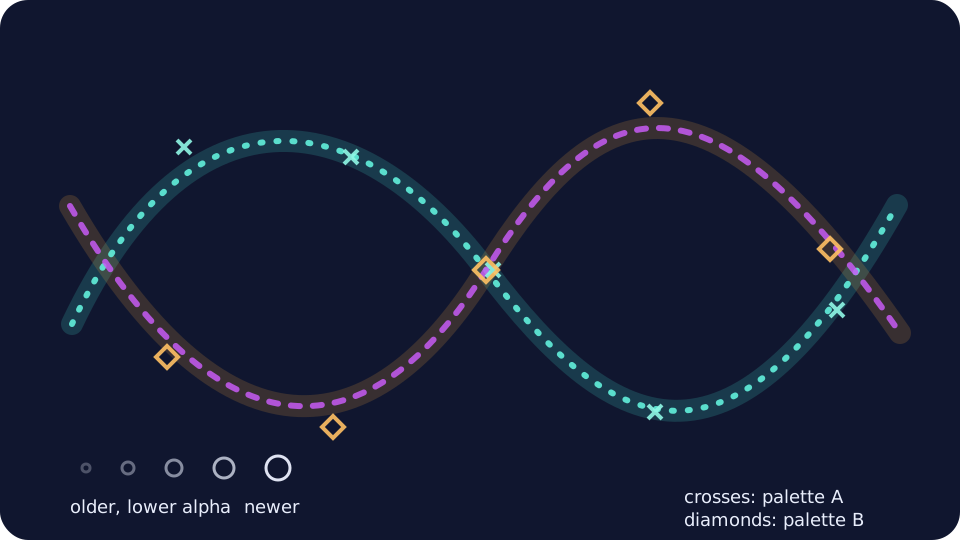
- Color, blending, and trails Represent straight RGBA colors and two endpoint palettes as checked data in the unit interval; Interpolate palette channels and calculate source-over alpha composition as weighted averages; Apply limited exponential alpha decay to repeatable oldest-to-newest trail marks; Keep pure trail-plan output independent from renderer state and keep openFrameworks blend and style changes scoped; Design an accessible two-palette particle or gesture study whose shapes, fading, and overlap are choices you make
- Time as a drawable axis Implement and inspect a limited ring buffer whose age zero is always the newest sample; Map normalized spatial position to a repeatable retained history age; Supply frame and time explicitly so model replay does not depend on a window clock; Check allocation arithmetic, byte budget, finite values, order, and counter overflow before mutation; Design an accessible spatial-temporal collage while checking its calculations without comparing GPU pixels
- Images and type as geometry Copy decoded image pixels into owned storage and compute checked row-major interleaved indices; Threshold a limited sampling grid into points, then measure its bounds and centroid; Transform a point collection around its centroid while preserving count and predictable scaled distances; Report missing, malformed, empty, or overlarge assets explicitly before rendering; Create an accessible animated composition from an original phrase or redistributable image
- Embodied audio input Route recorded amplitude, optional live microphone amplitude, and keyboard fallback through one repeatable input adapter; Smooth a 0-to-1 loudness level, remove quiet noise, and predict the visible result; Replay a synthetic amplitude fixture while bounding sample work and geometry counts; Build a consent-aware visual instrument whose louder-to-larger mapping is easy to understand without sound or color; Check calculations with automated tests and check device and graphical behavior in the running app
- Structured chance and spatial grammar Build randomness in composition, region, and mark layers instead of drawing every property independently; Make neighboring forms inherit a family resemblance through shared parameters and bounded jitter; Preserve deliberate quiet regions, density caps, and exact shared panel seams; Clip repeated lines in local coordinates and map them into warped quadrilateral panels; Build luminous marks from restrained translucent layers without requiring a blur shader
- Depth, light, and dense populations Generate a limited three-dimensional population from a small set of cluster records; Make position, orientation, scale, and material inherit from a cluster instead of varying independently; Explain how perspective, depth testing, normals, materials, and lights create readable volume; Render one reusable sphere primitive as many elongated pebble forms; Keep density, geometry detail, camera motion, and lighting bounded with a reduced-detail route
- Three cumulative sketch studies Finish three small sketches that each combine two earlier techniques; Keep one important calculation in each sketch small enough to test; Try different visual approaches without copying an example; Optionally save an accessible image or short note for sketches worth revisiting
- Original visual-instrument capstone Make one visual instrument that combines at least three earlier ideas; Explore exactly one of those ideas in greater depth; Make recorded input, resize, reset, failures, and changing frame time work; Keep the project accessible and credited, with optional notes for sharing it